
Review, comment, and
approve in one place
Comment on any asset, leave time-based notes and approve work, all inside Uplifted





Pinpointed feedback
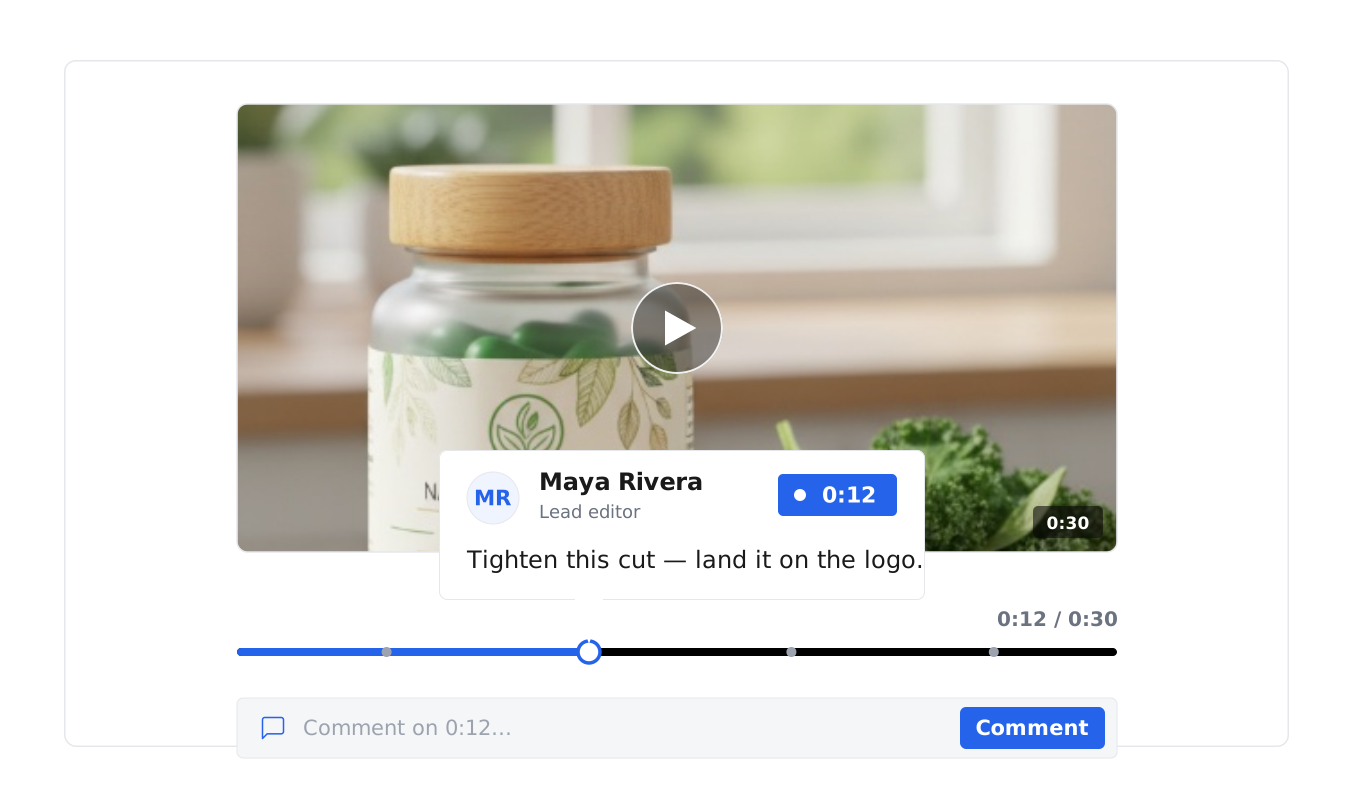
Comment on any asset, and on video, pin your note to the exact second — so an editor sees precisely what you mean.
Clear uproval status
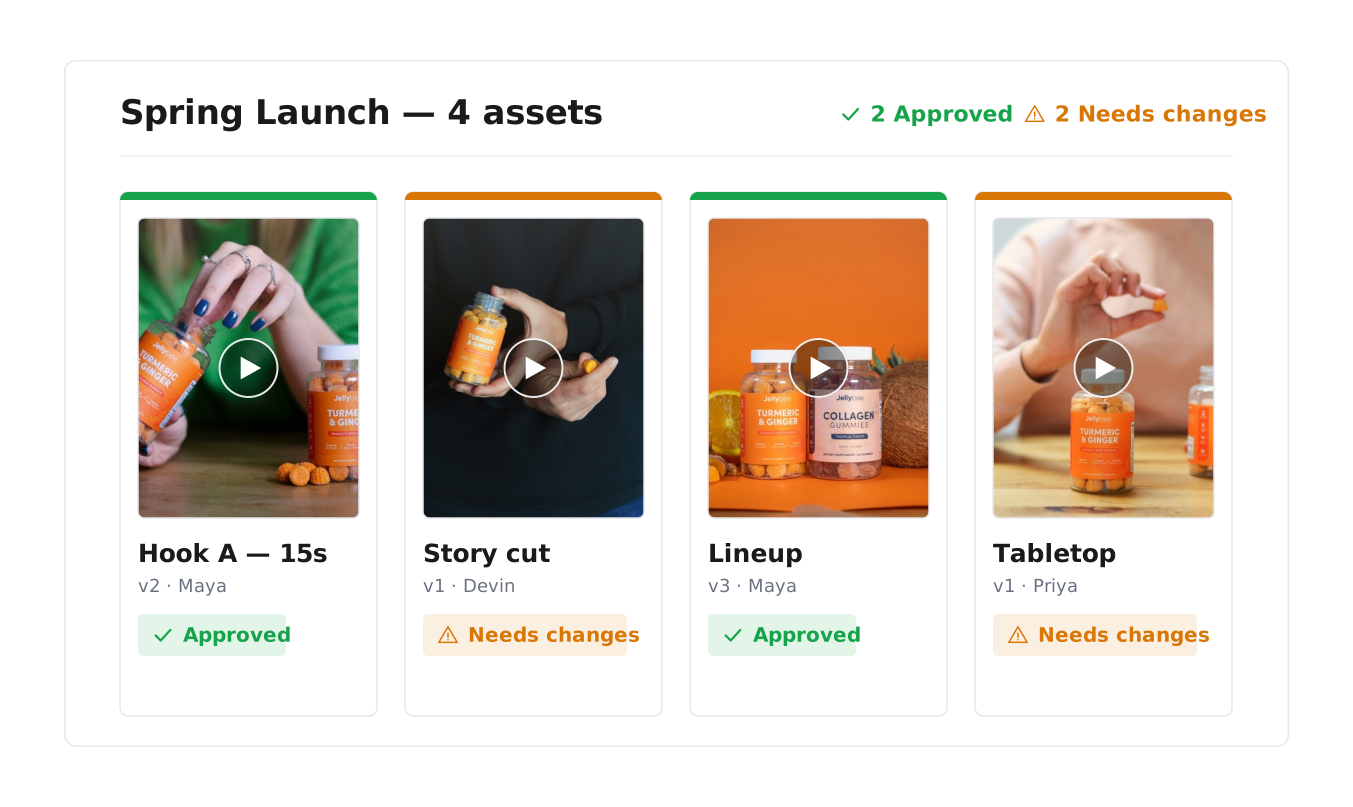
Mark work approved or needs changes, so there's never a question about what's ready to use.
The right access, for everyone
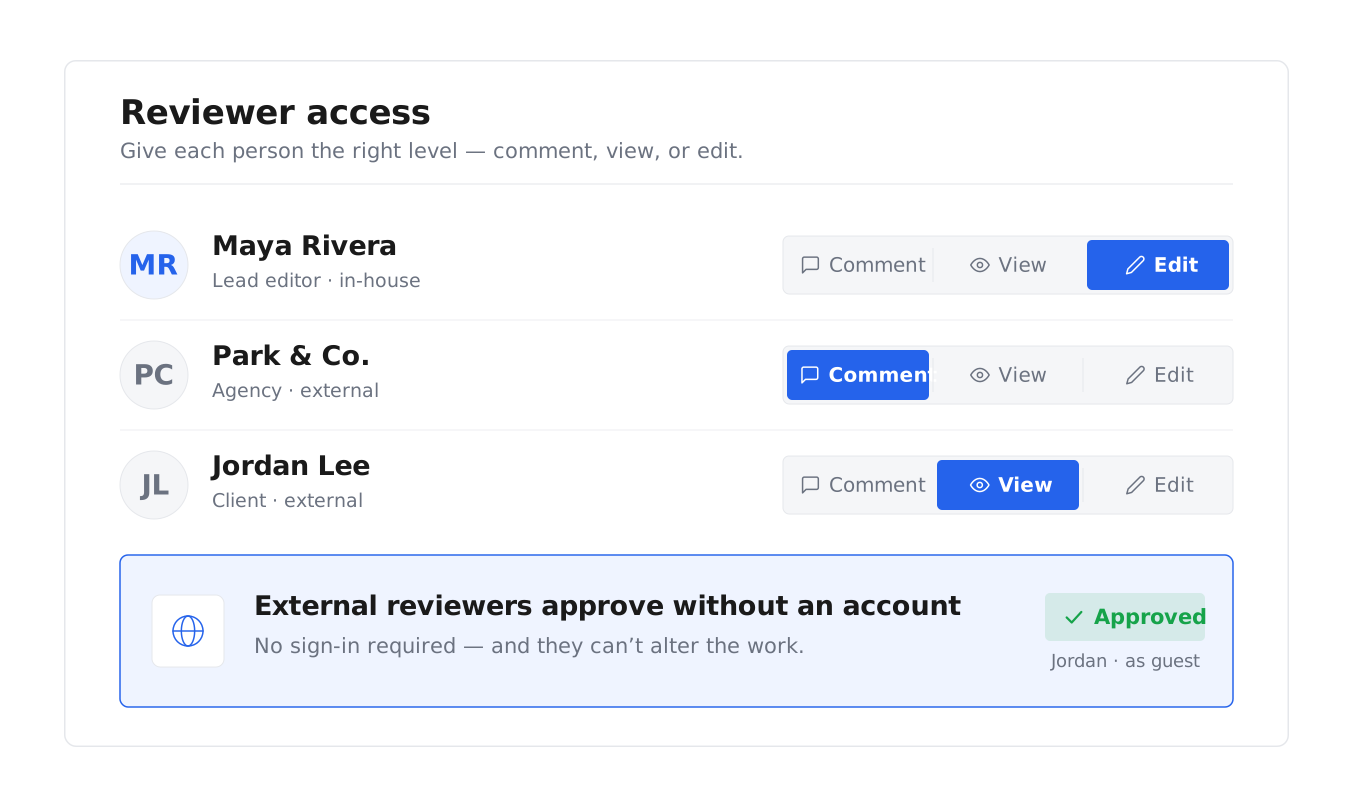
Give clients and stakeholders comment-only access, or full edit — so they weigh in without changing the work.
Approve creative faster, and
get it live
Leave feedback on the exact moment
Comment on any image, and on video, pin your note to the precise second it refers to. As video review and approval software built into your library, Uplifted ties time-based notes directly to the frame, so there's no guessing what a comment means and no timecodes typed into an email.
Set and track approval status
Mark each asset approved or needs changes, so everyone can see at a glance what's ready and what needs another round — with no ambiguity about what's been signed off.
Control who can comment and who can edit
Give reviewers comment-only access, or view and edit, so clients, agencies, and outside stakeholders weigh in at the right level. As client approval software, Uplifted lets external reviewers approve work without an account and without altering it.
Approve and ship from one place
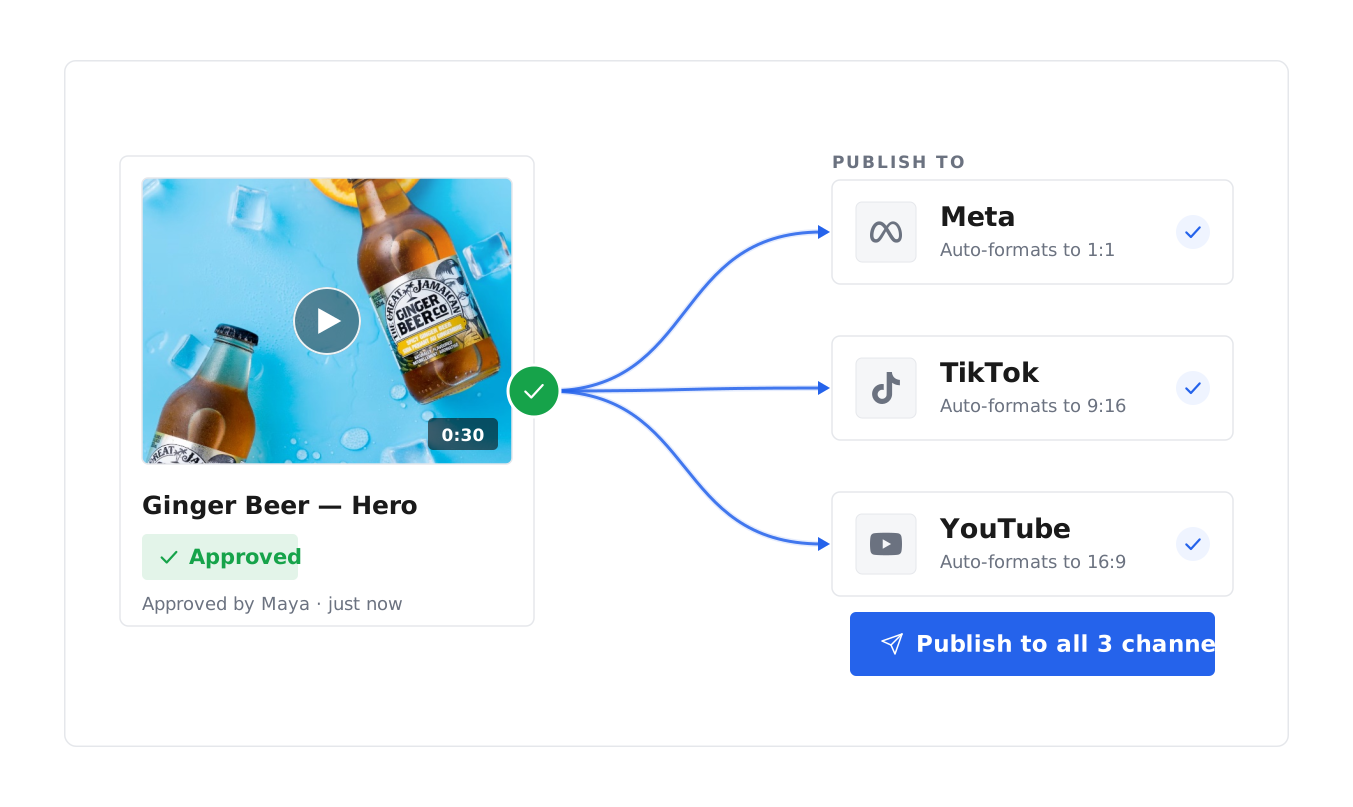
Once creative is approved, push it straight to your channels from Uplifted — review, sign-off, and delivery in one flow, with no handoff between tools.
Our creative approval software is powering teams across
$3.4B
REVENUE
11.3M
ASSETS
47M
CONVERSIONS
$1B+
AD SPEND
Review without leaving your creative library
Comment and approve in one place
Comment, leave time-based notes on video, and approve work in the same place your assets already sit — no moving files between tools.
A review toolkit, built in
Comments, time-based video notes, permissions, and approval status give you everything you need from creative review software — inside your library, where your assets already live.
Why teams switch
Storing creative in one tool, reviewing in another, and tracking feedback in a third is why many teams replaced their separate marketing approval software and moved their whole review flow into Uplifted.

AI Agent — FAQ
Everything teams want to know before they connect their stack.
Where does the feedback live?
With the creative. Every comment and round of feedback stays on the asset, so the full review history is always in context.
Can I review and approve remixed or iterated content?
Yes. As your team remixes winning creative into new versions, each one can be reviewed and approved in the same place — comment on it, mark it approved or needs changes, and track it alongside the original, so content remixing and approval stay in one flow.
How does the creative approval workflow work?
Mark each asset approved or needs changes so the status is always clear, keep every round of feedback on the asset, then push approved creative to your channels — a simple creative approval process without a separate workflow tool.
What are the best tools for creative review and approval in 2026?
The best creative review and approval tools keep the work and the feedback in one place. Uplifted handles video review and approval, image and design approval, comments, and sign-off on top of your creative library — so teams reviewing creative, video, or design approve in the same place the assets live, rather than moving between a storage tool and a separate proofing tool.
Can clients or external reviewers comment without editing?
Yes. Give reviewers comment-only access, or view and edit, so clients and stakeholders weigh in at the right level — useful client and marketing approval without extra seats.
Can I leave feedback on a specific moment in a video?
Yes. Pin a comment to the exact second of a video, so your feedback points to the precise frame it refers to.
How do I review and approve creative in Uplifted?
Open any asset, leave comments (and time-based notes on video), then mark it approved or needs changes. Reviewers can be given comment-only or full edit access, and approved creative can be pushed straight to your channels.
What is creative approval software?
Creative approval software is where teams review creative and sign off on it — leaving feedback, marking changes, and tracking what's approved. Uplifted is creative review and approval software built into your creative library, so review happens in the same place your assets live, with comments and time-based notes on video.