
Organize your creative assets automatically
Regroup your library by product category, themes, or creators





Organized on upload
Every file is tagged, transcribed, and sorted the moment it lands — no manual labeling.
Grouped your way
Group your marketing asset library by product, campaign, theme, or performance — just by asking.
Stays in order as it grows
New work sorts itself in, so a library of thousands never becomes one person's job.
Organization that happens on its own
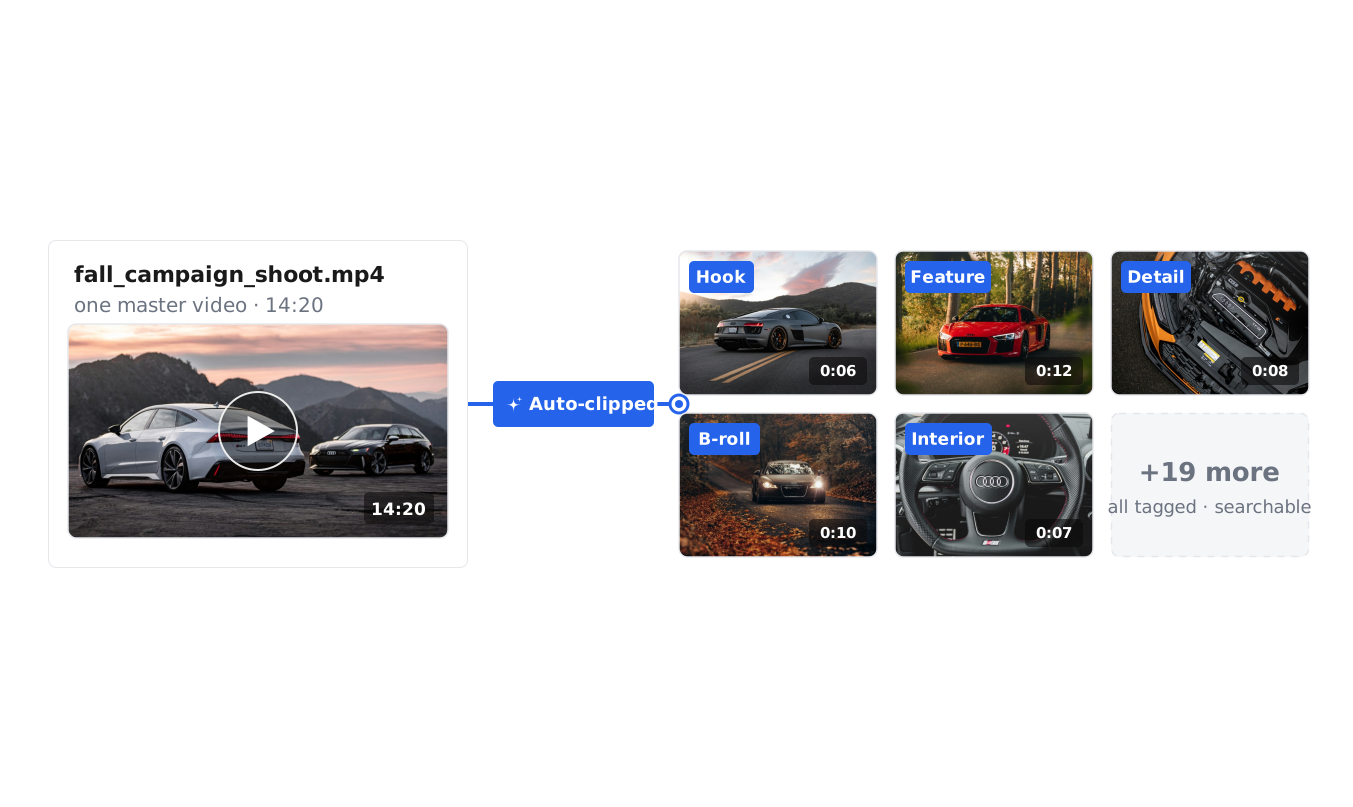
Auto-tagging on upload
Every asset is tagged the moment it lands — what's said, what's shown, the format, and the theme — so a library of thousands stays findable without anyone labeling files.
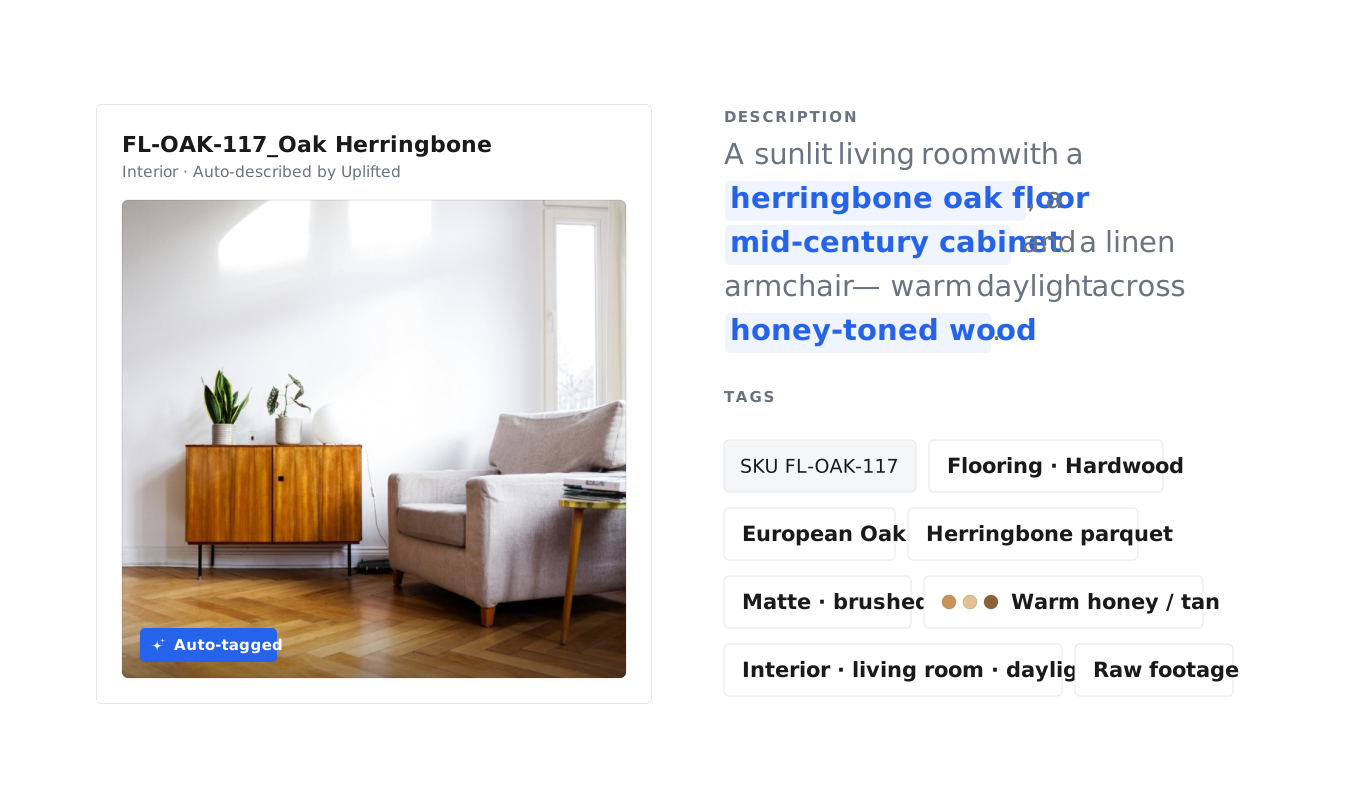
Custom AI tags
Uplifted learns tags for your own products, features, and personas and applies them automatically, so the library is organized in your team's own words — not generic labels.
Regroup on command
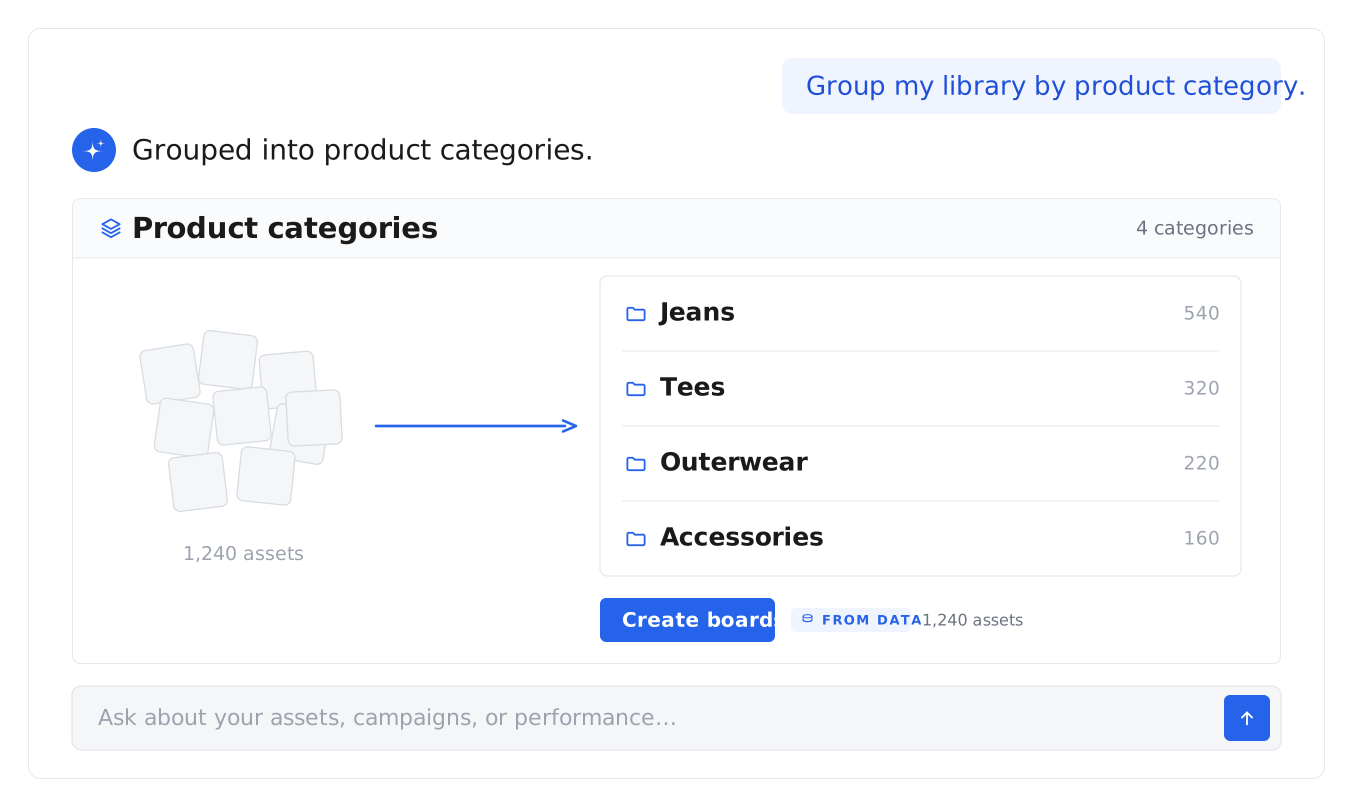
Ask the agent to group your library by product category, campaign, theme, or creator, and it restructures everything — no rebuilding folders.
Our software has powered customers with over
$3.4B
REVENUE
11.3M
ASSETS
47M
CONVERSIONS
$1B+
AD SPEND
Frequently asked questions
Everything teams want to know before they connect their stack.
Where does the feedback live?
With the creative. Every comment and round of feedback stays on the asset, so the full review history is always in context.
Can I review and approve remixed or iterated content?
Yes. As your team remixes winning creative into new versions, each one can be reviewed and approved in the same place — comment on it, mark it approved or needs changes, and track it alongside the original, so content remixing and approval stay in one flow.
What is a creative approval workflow?
A creative approval workflow is how work moves from draft to approved. In Uplifted, reviewers comment on the exact second, approve in place, and the approved version is the one everyone finds — no email chains, no version confusion.
What are the best tools for creative review and approval in 2026?
The best creative review and approval tools keep the work and the feedback in one place. Uplifted handles video review and approval, image and design approval, comments, and sign-off on top of your creative library — so teams reviewing creative, video, or design approve in the same place the assets live, rather than moving between a storage tool and a separate proofing tool.
Can clients or external reviewers comment without editing?
Yes. Give reviewers comment-only access, or view and edit, so clients and stakeholders weigh in at the right level — useful client and marketing approval without extra seats.
Can I leave feedback on a specific moment in a video?
Yes. Pin a comment to the exact second of a video, so your feedback points to the precise frame it refers to.
How do I review and approve creative in Uplifted?
Open any asset, leave comments (and time-based notes on video), then mark it approved or needs changes. Reviewers can be given comment-only or full edit access, and approved creative can be pushed straight to your channels.
What is creative approval software?
Creative approval software is where teams review creative and sign off on it — leaving feedback, marking changes, and tracking what's approved. Uplifted is creative review and approval software built into your creative library, so review happens in the same place your assets live, with comments and time-based notes on video.
What is media asset management (MAM)?
Media asset management is how a team stores, organizes, finds, and moves its media — video, images, and audio — through one system. A MAM keeps every file organized and findable, tracks it through work like editing and review, and, in Uplifted's case, ties each asset to the results it earned.
What's the difference between media asset management and digital asset management?
Digital asset management covers all of a team's files and brand assets; media asset management is the media-heavy version of the job — built around video and audio at scale, and the workflow that moves them through edit, review, and delivery. Uplifted does both on one platform.
Is media asset management the same as video asset management?
They overlap. Video asset management is the video-specific slice — footage, moments inside long files, and the editor's workflow. If that's your day, see our video asset management page; the platform underneath is the same.
What should I look for in a media asset management system?
Automatic tagging on arrival, plain-English search into the content itself, a built-in path for briefs, feedback, and approvals, and a connection between each asset and its real performance. If any of those is missing, the library turns into storage — and storage is the part your drives already do.
Is Uplifted a cloud media asset management solution?
Yes. Uplifted is cloud media asset management — your library syncs from your drives and your ad channels, stays current automatically, and is available to your whole team and your AI tools from anywhere.
Do we need a broadcast MAM or something built for marketing?
Broadcast media asset management systems are built for petabytes of long-form footage and station infrastructure. Marketing teams usually need the other things: speed, automatic organization, collaboration with agencies and editors, and performance tied to every asset — which is the job Uplifted is built for.
How much does media asset management software cost?
Pricing varies widely across the category — by storage, seats, and features. Uplifted has a free trial, so you can connect your sources and see your own library organized and tied to performance before you decide. See the pricing page for current plans.
How can AI help organize a large creative library?
AI organizes a large library by understanding each asset and tagging it automatically on upload — what's said, what's shown, the format, and the theme. Instead of learning how to organize digital assets by hand, you let the library sort every file by description rather than by folder. Uplifted does this across video, image, and audio, and keeps the library in order as it grows.
Do I have to tag or name anything myself?
No. Tagging and transcription happen automatically on upload. You can add your own tags too, and they sit alongside the automatic and custom-brand tags as one searchable system.
Can it organize assets around my brand and products?
Yes. Uplifted learns custom tags for your own products, features, and personas and applies them automatically, so the library is organized in your team's words rather than generic labels.
What file types can it organize?
Video, image, audio, and raw footage — every type is understood and made searchable on upload.
Can I reorganize the whole library later?
Yes. Ask the agent to regroup your library by product, campaign, theme, or performance at any time, and it restructures everything for you.
How is this different from a digital asset management system?
A digital asset management platform stores your files; this is the part that keeps them organized for you — automatically, on upload, and restructurable on request. Uplifted does both on one platform.