
Video asset management for editors
Find any moment in seconds and get straight to the edit





Footage, organized for you
Stop organizing video footage by hand — every file is transcribed and tagged on upload, so the library sorts itself.
Every video, cut into clips
Long videos are sliced into searchable clips, so editors grab the exact moment instead of scrubbing timelines.
A faster editing workflow
Brief, assets, and feedback live in one place — the video editing workflow runs without the file hunt.
Everything ready before the edit begins
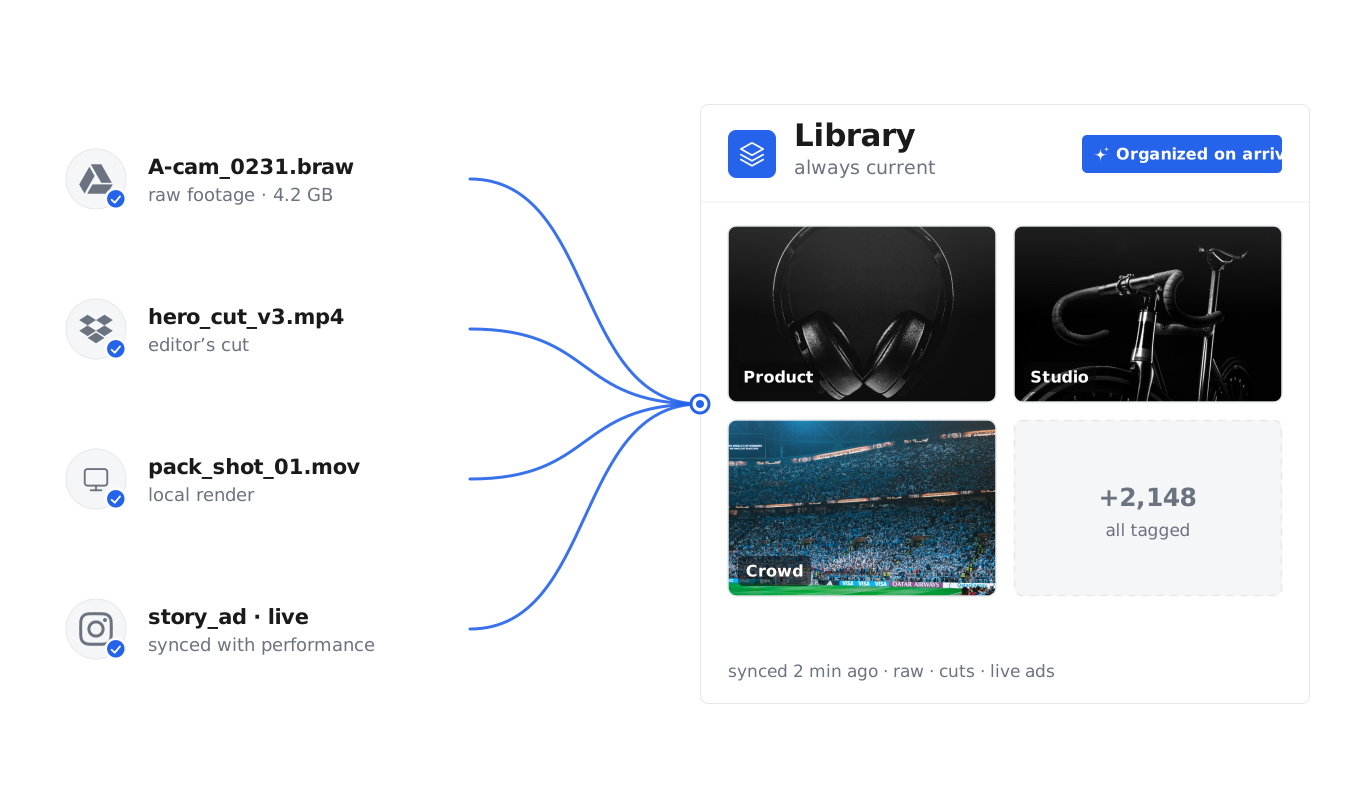
All your footage flows into one library
Connect your drives and channels. Raw footage, cuts, and live ads sync in automatically — organized on arrival, always current.
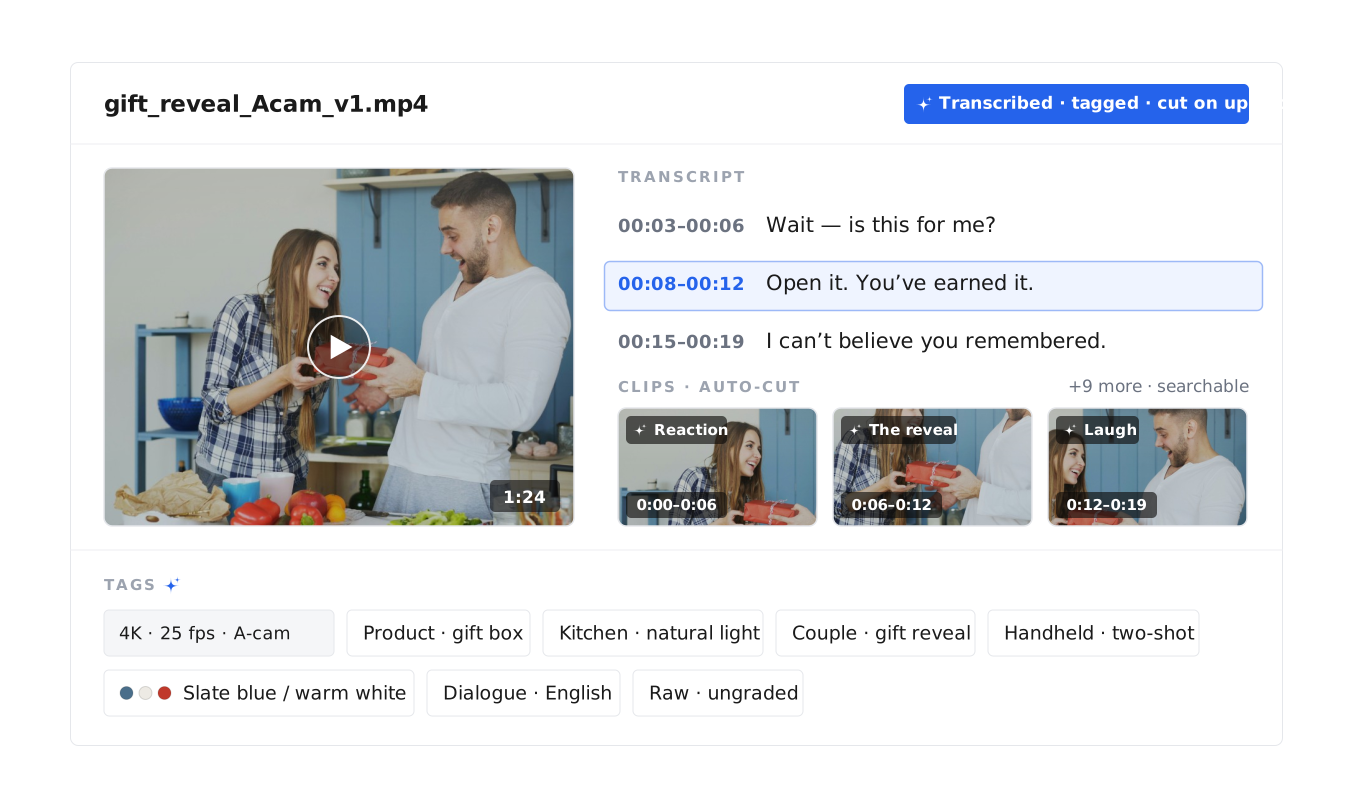
Every video is transcribed, tagged, and cut into clips
On upload, Uplifted transcribes what's said, tags what's shown, and slices long videos into searchable clips. Add custom tags for your products, personas, and campaigns — the library speaks your team's language.
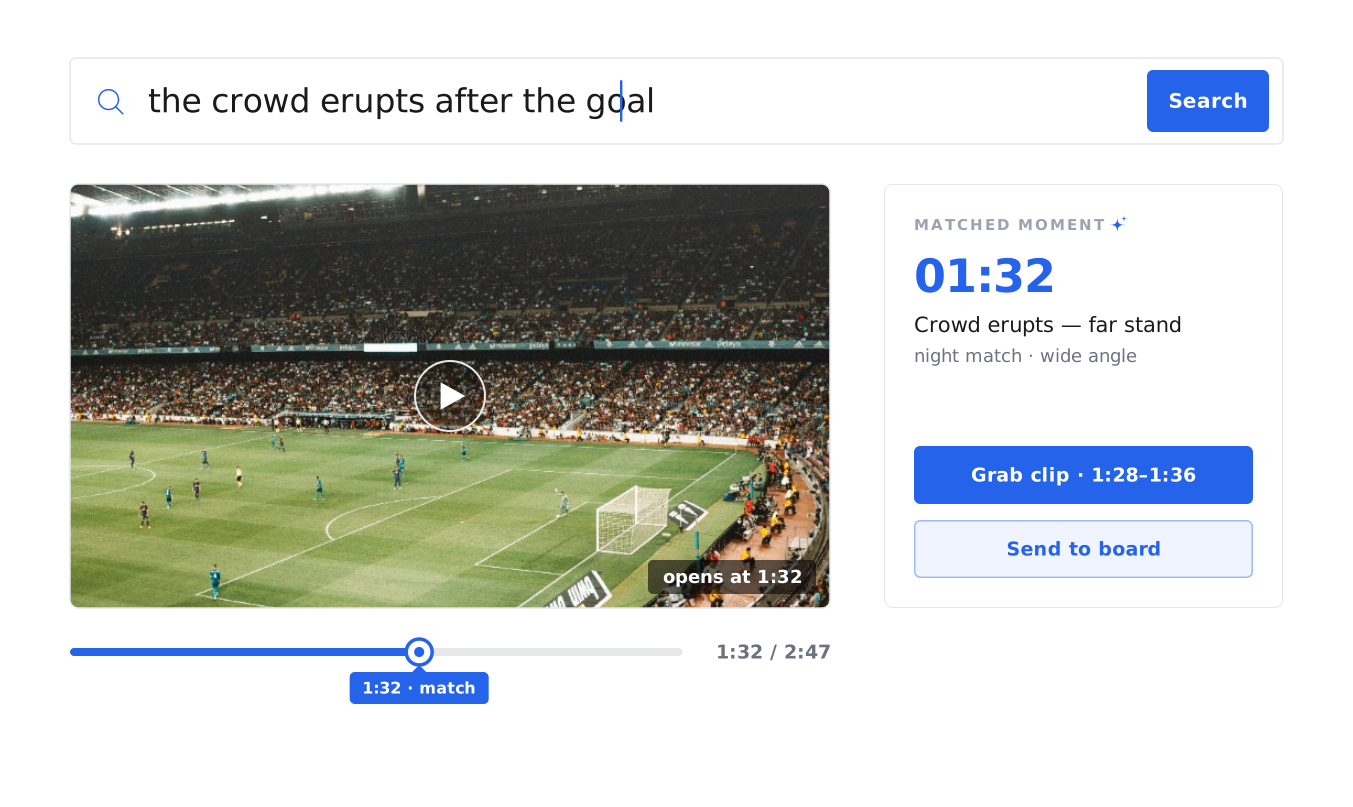
Find any moment by describing it
Type a line of dialogue, a product category, or a scene. Results open on the exact second, marked on the timeline — grab the clip and send it to a board or a brief.
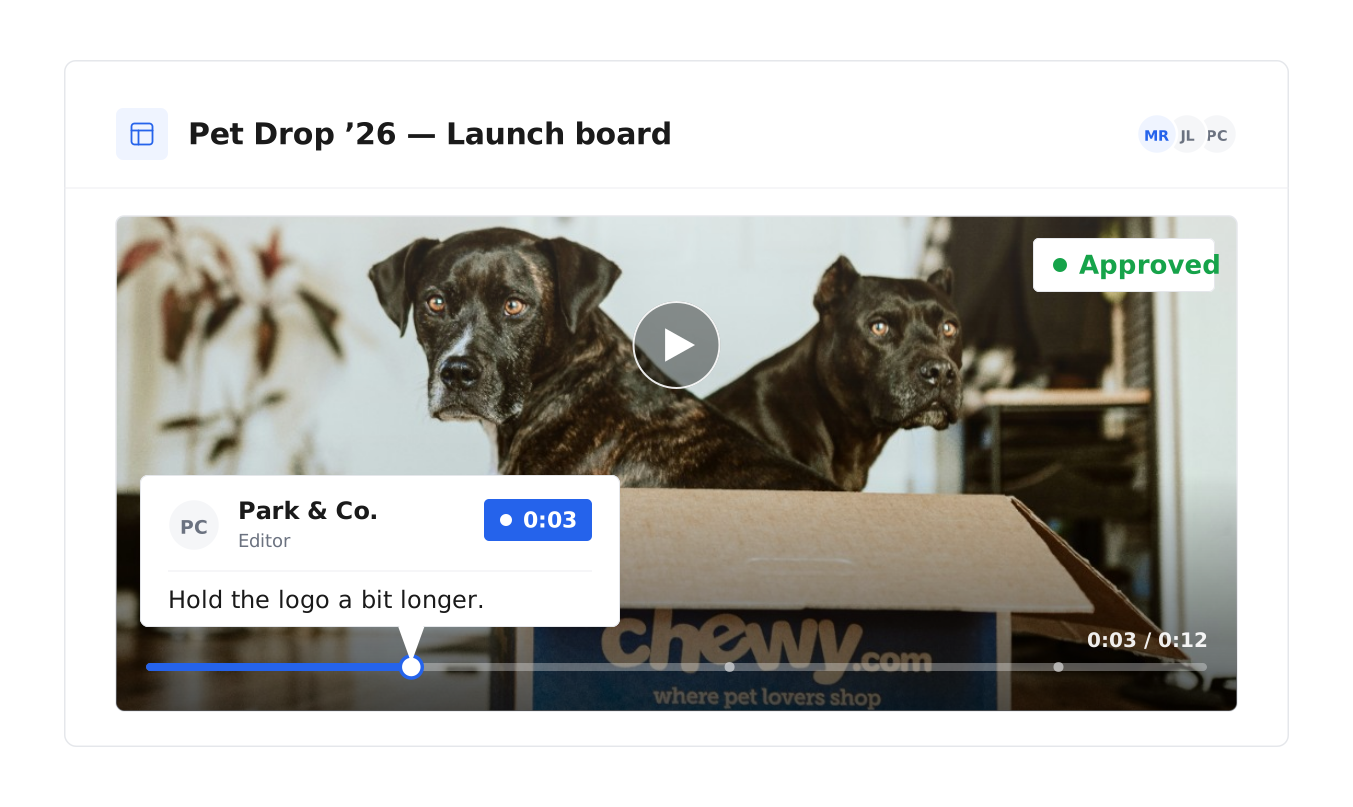
Briefs, feedback, and approvals in one place
The brief and the assets arrive together on one board. Editors upload cuts back, comments pin to the exact second, and the final exports at full quality.
Our AI infrastructure has powered content across
11.3M
ASSETS
12
LANGUAGES
3.3M
VIDEOS
7.6M
IMAGES
Less searching, more editing
No more hunting for files
When files are spread across drives and chat threads, editors lose hours searching. Uplifted organizes everything on upload, so the footage is always a search away.
Work with anyone, by link
Share a link and outside editors and agencies can view, upload, and comment — no account needed. Their work lands in the right place automatically.
One home for all creative
Video lives on the same platform as the rest of your creative — one library, one search, one source of truth.
Frequently asked questions
What is video asset management?
Video asset management is how teams organize, find, and reuse their video — raw footage, cuts, and finished ads — in one place. In Uplifted, footage syncs in automatically, every file is tagged by what's said and shown, and editors find any moment by describing it. Whether you call it a video asset management system, platform, or software, the job is the same — and it's the job Uplifted is built for.
How is video asset management different from a DAM?
A digital asset management platform holds all of a team's files, in every format. Video asset management is the video-specific job: handling footage at scale across video production, finding moments inside long files, and moving work through edit, review, and export. Most video asset management tools stop at storage; Uplifted does the whole job, on the same platform as your full library.
What about media asset management (MAM)?
Closely related — media asset management grew up in broadcast and enterprise video, and the job is the same: keep media organized, findable, and moving. If your team makes marketing video, Uplifted covers that job end to end.
How should I organize video footage for editing?
Let the library do it. Uplifted tags every file on arrival — what's said, what's shown, and what it's about — so footage is organized and searchable the moment it lands, whatever the file is named.
What does a good video editing workflow look like?
Footage in one place, a brief with the assets attached, feedback pinned to the exact second, and export at full quality — whether your editors are in-house or remote, with the organizing done by AI so no step waits on finding a file. That's the workflow Uplifted is built around.
Can editors and agencies work in it without an account?
Yes. Share a link to a board or folder and outside editors, creators, and agencies can view, contribute, or upload straight in — no account needed — and everything lands in the right place.